Repo ↗ · Source README ↗ · Markdown & license bundle
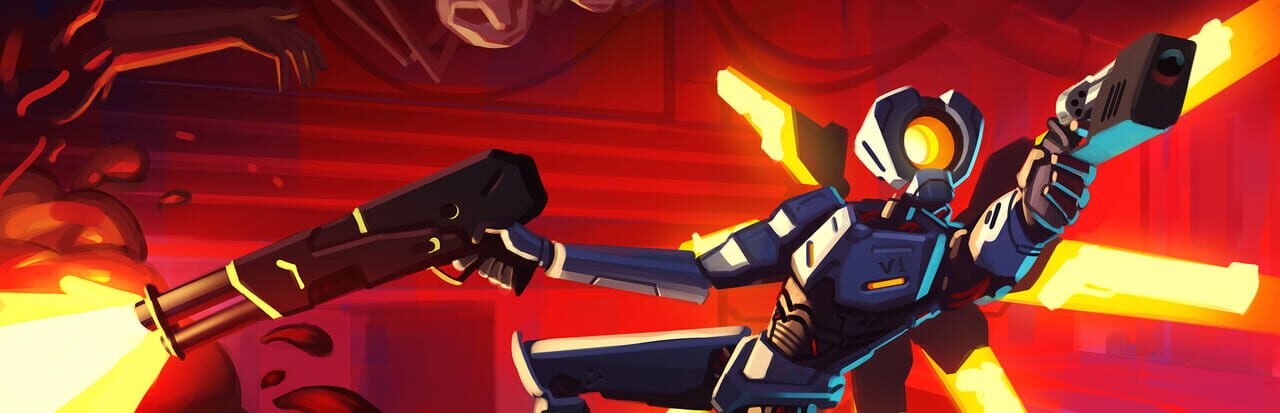
Image reference (original game): Ultrakill · original-game artwork, provided by IGDB. Image rights remain with their respective owners. This illustrates the referenced original game, not the actual visuals of this rewrite or mod.
Source maintainer: Gamekour · Revision: 48b65fa7abd6 · Catalogued: 2026-10-12
Source license: MIT · LICENSE.md · Article: Source README (format adapted)
The source README follows, with formatting adapted for this site and images replaced by source links. Feature, completion and testing claims belong to its authors and have not been independently playtested here. The Traditional Chinese translation was prepared with AI assistance.
ULTRAKRUST
An unofficial reimplementation of ULTRAKILL in Rust, on the Bevy engine. ULTRAKRUST loads levels
straight from your own ULTRAKILL install while it runs, and draws them with the game’s own compiled
shaders. The gameplay scripts are ports of ULTRAKILL’s own, so movement, combat and level logic
behave the way the original does.
You need to own ULTRAKILL on Steam. This repository contains no game files: no models,
textures, sounds, shaders or decompiled code. Everything is read from your install at runtime and
never written back.
What works
- Level 0-1 from start to finish. That covers the drop-in intro, the revolver pickup and title
card, every arena and wave, doors, glass, fans, checkpoints and respawns, Filth, Strays, the
Malicious Face, and the final pit with the results screen. - Every campaign scene loads, with its geometry, collision, lights, triggers and level-start
logic. The exit elevator loads the next level. Most enemies and weapons beyond those above are
not ported yet. - V1’s movement: walk, jump, dash, slide, slam, slam-jump, wall-jump, wall cling and super
slide jumps, at the game’s 125 Hz physics step and with its tuning values. - Effects: blood and gore, environment hit particles, slide and wall scrapes, the HUD and
ULTRAKILL’s post-processing. - Custom maps from glTF files (see below).
Not there yet
- Weapons and enemies: only the revolver and the Feedbacker. Many enemies are partly ported;
bosses spawn but do little else, enemy projectiles are placeholders, and there are no death
animations or ragdolls. - Sound and music: none.
- Menus, settings and difficulty: none; the game starts straight into a level.
- Game feel: no style meter, freeze frames or muzzle flashes.
- Level features: no secrets, skulls, pickups, bounce pads, terminals, cutscenes, intro text,
Cyber Grind or special levels. - Known bugs from playtesting are listed in PARITY.md §7.
PARITY.md has the measured gap analysis against the original. MODLOG.md
records each change, with the probe numbers behind it.
Getting started
- Install ULTRAKILL through Steam.
- Install Rust from rustup.rs (stable toolchain).
- Clone this repository and run:
cargo run --release -p ultrakrust
The first build takes several minutes. The game is found automatically in the default Steam folder
or any Steam library. If it isn’t, point ULTRAKILL_DIR at the folder that contains
ULTRAKILL_Data:
ULTRAKILL_DIR="D:/Games/ULTRAKILL" cargo run --release -p ultrakrust
Options
Pass these after --, e.g. cargo run --release -p ultrakrust -- --level 1-1.
| Flag | What it does |
|---|---|
--level 1-1 |
Start in another level (default 0-1). |
--map path/to/map.glb |
Load a custom glTF map (see below). |
--all-weapons |
Start with every ported weapon. |
--sandbox |
The movement test map instead of a level. |
--legacy-render |
Bevy’s own renderer instead of ULTRAKILL’s shaders. |
--exit-after 10 |
Quit after this many seconds. |
Controls
ULTRAKILL’s default bindings:
| Key | Action |
|---|---|
| WASD | Move |
| Space | Jump |
| Left Shift | Dash |
| Left Ctrl | Slide (in the air: ground slam) |
| LMB | Fire |
| Hold RMB | Charge a piercing shot |
| F | Punch (also parries projectiles) |
| R | Restart from the checkpoint |
| Tab | Level stats |
Extras:
| Key | Action |
|---|---|
| N | Noclip |
| F3 | Developer overlay |
| T | Camera tilt |
| [ ] | Mouse sensitivity |
| Esc | Release the mouse |
Your saved settings and progress are read from your ULTRAKILL install (read-only).
Custom maps
Build a map in Blender (or anything that exports glTF), export it as .glb (or .gltf with a
separate .bin), and run:
cargo run --release -p ultrakrust -- --map path/to/map.glb
You get V1, the HUD and the level timer, with your feet at the origin (0, 0, 0), facing −Z
(Blender’s +Y).
Collision uses Godot’s import name suffixes.
Add them to object names. They’re case-insensitive, and -x, _x or $x all work.
| Suffix | Result |
|---|---|
-col |
Visible mesh + exact (triangle mesh) collision |
-convcol |
Visible mesh + convex hull collision |
-colonly |
Invisible collision only. On an empty: a sphere (radius 1) by default |
-convcolonly |
Invisible convex hull collision only |
-noimp |
Not imported (with its children) |
- Shapes on empties. glTF doesn’t store an empty’s display type. To give a
-colonlyempty a
shape, add a custom propertyempty_display_type(exported as glTF extras):CUBE: a box of size 2.IMAGE: an infinite ground plane.SINGLE_ARROW: a ray. Skipped, since Unity has no ray collider.
- Meshes without a suffix are visible but have no collision.
Enemies go on empties, by suffix: -filth, -stray or -maliciousface (e.g.
Guard-stray). Each one is a copy of a 0-1 enemy. It stands on the empty’s origin, faces the
empty’s forward (Blender’s +Y), and is in the level from the start, with no spawn bubble. There
are no arenas or waves yet.
Rooms and doors load and unload parts of the map as the campaign does. Put each room’s
contents in a collection named -room (export with Full Collection Hierarchy), and make each
doorway a mesh named -door (it collides as its convex hull).
- A door slides up by its own height when the player comes within 4 m of it, and closes behind
them. It joins the two rooms on either side of it (found 2 m out from its middle, along its
thinnest horizontal axis). - Opening a door loads its two rooms. Walking into a door’s area unloads the rooms beyond them.
- Every room that a door joins starts unloaded, except the room the player starts in.
- Custom properties on a door:
open(metres it slides up),speed(25 m/s),start_open,
locked,trigger_size(4 m: how far the area reaches each side) androoms("A, B", the
rooms it joins by name, when they can’t be found).
Where things go. An unloaded room hides everything under it: meshes, collision, lights and
enemies.
| Put it in a room | Leave it at the root (outside every room) |
|---|---|
| The room’s floors, walls and ceilings. They also set the room’s bounds, which is how doors and the player start find it, so a room needs geometry around each of its doorways. | Anything visible from more than one room, such as an outdoor backdrop or a sun. Anything at the root is always loaded. |
| Lights that only light that room, since they switch off with it. | The -env empty. Its settings apply to the whole level wherever it is, so the root is the clear place for it. |
| Enemies that belong to the room. They appear when it loads, and disappear when it unloads. | -navmesh meshes. The navmesh is always whole, wherever its meshes sit. |
A room’s -doors, optionally. A door in a room counts that room as one of its two sides; at the root, both sides are found by position. Either way, the door is moved out of the room when the map loads, so it never unloads. |
- The player start (the origin) must be inside a room’s bounds for that room to start
loaded. If it’s in no room, every room starts loaded (the map warns). - Don’t put geometry at the root next to a doorway if you want it to belong to a room.
Root geometry counts toward no room, so a door beside it may find only one room (the map
warns; give the door aroomsproperty). - Don’t nest rooms. An inner room’s contents count only toward the inner room, and it
also unloads whenever its outer room does. - A room without doors is never unloaded.
Sky, fog and ambient light: add an empty named -env (e.g. Settings-env) with any of these
custom properties. Anything left out keeps 0-1’s setting: linear fog from 0 to 250 m in
rust brown, black ambient light, and a black background with no skybox.
skybox: a campaign skybox by name (e.g."LustSky","GreedSky"; the full list is in
docs/MAP_FORMAT.md), or"none".sky_color: the background colour when there’s no skybox.fog(true/false),fog_minandfog_max(metres),fog_color.ambient_color, andambient_strength, which multiplies it.- Colours are
[r, g, b]lists of 0–1 values (a Blender colour property) or hex strings
("#843C1B"), used as written. The settings stay the same for the whole level.
Navmesh: name a mesh -navmesh (e.g. Floor-navmesh) to give enemies a walkable surface
to path on. It is invisible and has no collision. Several -navmesh meshes merge into one.
- Leave about 0.5 m between its edge and walls. The mesh is used as-is, like Godot’s
-navmesh; Unity’s bake would shrink it by the agent radius (0.5 m) for you. If an edge runs
along a wall, enemies get stuck on corners. - Enemies walk only where the navmesh is, and connected pieces must share vertices.
- Without a navmesh, Filth and Strays walk straight at the player instead of pathing around walls
(the map warns). - Normals matter. ULTRAKILL culls back faces, and its surface queries are single-sided. Run
Mesh → Normals → Recalculate Outside in Blender if a floor is invisible from above.
Materials draw with ULTRAKILL’s master shader:
- Base colour: the texture times the factor.
- Emission: the texture times the colour, times Emission Strength.
- Texture filtering: set the image to Closest in Blender for the crunchy point-filtered look.
- Formats: PNG and JPEG textures; embedded or separate files both work. Embedded
data:URIs
in a.gltfdon’t. - Ignored for now: smoothness, metallic and vertex colours.
- No material: objects fall back to the 0-2 elevator floor.
- Surfaces: everything you collide with counts as metal for footsteps and hit effects.
Lights:
- Point, spot and sun lights import by type and colour. Blender leaves them out of the export
by default: tick Include → Data → Punctual Lights in the glTF export dialog. - Brightness is converted from glTF’s physical units and scaled down 1000x, to match Blender’s
export (with the export’s lighting mode left on Standard). Expect to tune it by eye. - Cameras are ignored.
Map-specific ULTRAKILL features (enemies, triggers, checkpoints, …) aren’t supported yet. The
planned format is drafted in docs/MAP_FORMAT.md.
For developers
| Crate | What it does |
|---|---|
crates/uk-core |
Engine-agnostic simulation: collision world, player movement, camera, revolver |
crates/uk-assets |
Runtime reader for the install: Unity bundles, serialized files, meshes, textures, materials, shaders, scenes, particles, glTF maps |
crates/uk-game |
Level runtime: a Unity-like object model running the ported scripts, enemies, combat, effects. Headless probes in examples/ |
crates/uk-harness |
Headless parity, regression and performance checks over every scene |
crates/ultrakrust |
The Bevy frontend: rendering with ULTRAKILL’s shaders, input, HUD |
cargo test --release --workspace
cargo run --release -p uk-harness
cargo run --release -p uk-game --example map_probe -- path/to/map.glb
The harness prints only failures, regressions and gaps against parity/baseline.tsv.
Credits
ULTRAKILL is © New Blood Interactive and Arsi “Hakita” Patala. ULTRAKRUST is an unofficial,
non-commercial fan project, not affiliated with or endorsed by them. Please buy the game. Built
with AI assistance (Claude), using ILSpy and UnityPy to inspect the author’s own copy of the game.
License and provenance
The README and its translation retain MIT terms. Changes comprise translation, links and formatting. Editable Markdown, the original README, LICENSE and NOTICE files are included in the linked bundle. This grants no rights to the original games, their assets or trademarks.
LICENSE.md
MIT License

Copyright (c) [year] [fullname]

Permission is hereby granted, free of charge, to any person obtaining a copy
of this software and associated documentation files (the "Software"), to deal
in the Software without restriction, including without limitation the rights
to use, copy, modify, merge, publish, distribute, sublicense, and/or sell
copies of the Software, and to permit persons to whom the Software is
furnished to do so, subject to the following conditions:

The above copyright notice and this permission notice shall be included in all
copies or substantial portions of the Software.

THE SOFTWARE IS PROVIDED "AS IS", WITHOUT WARRANTY OF ANY KIND, EXPRESS OR
IMPLIED, INCLUDING BUT NOT LIMITED TO THE WARRANTIES OF MERCHANTABILITY,
FITNESS FOR A PARTICULAR PURPOSE AND NONINFRINGEMENT. IN NO EVENT SHALL THE
AUTHORS OR COPYRIGHT HOLDERS BE LIABLE FOR ANY CLAIM, DAMAGES OR OTHER
LIABILITY, WHETHER IN AN ACTION OF CONTRACT, TORT OR OTHERWISE, ARISING FROM,
OUT OF OR IN CONNECTION WITH THE SOFTWARE OR THE USE OR OTHER DEALINGS IN THE
SOFTWARE.
Comments
…